Stop tracing cut lengths by hand. Upload any DXF file and instantly get cut length, pierce count, material cost, and sell price — ready to drop into a branded customer quote.
Most shops are still measuring cut paths by hand, guessing pierce counts, or running spreadsheets that don't account for corner slowdown, travel time, or material markup. The result is quotes that either bleed margin or lose the job.
FabEngineer Pro reads the DXF geometry directly. You get real numbers — automatically — the moment you upload.
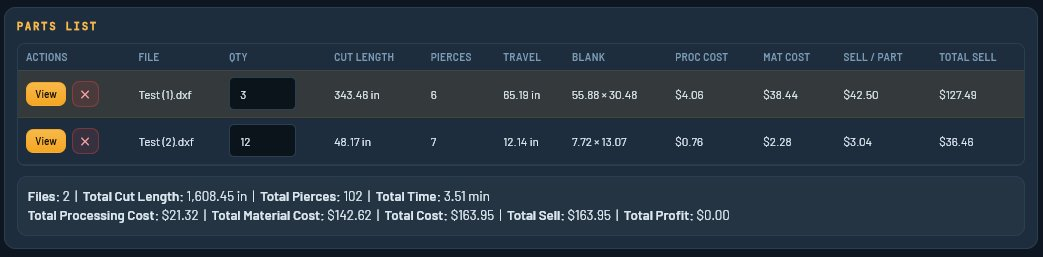
| File | Qty | Cut Length | Pierces | Proc Cost | Mat Cost | Sell/Part | Total Sell |
|---|---|---|---|---|---|---|---|
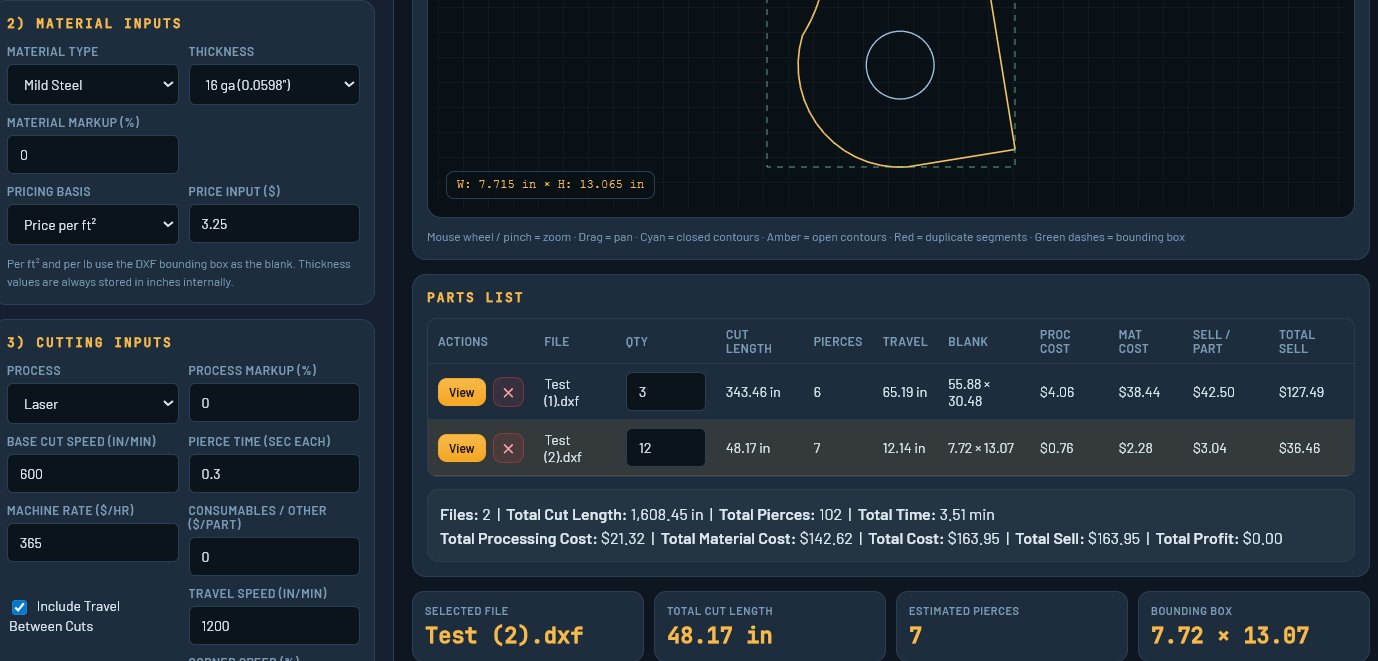
| Test (1).dxf | 3 | 343.46 in | 6 | $4.06 | $38.44 | $42.50 | $127.49 |
| Test (2).dxf | 12 | 48.17 in | 7 | $0.76 | $2.28 | $3.04 | $36.46 |
Actual output from FabEngineer Pro DXF Estimator
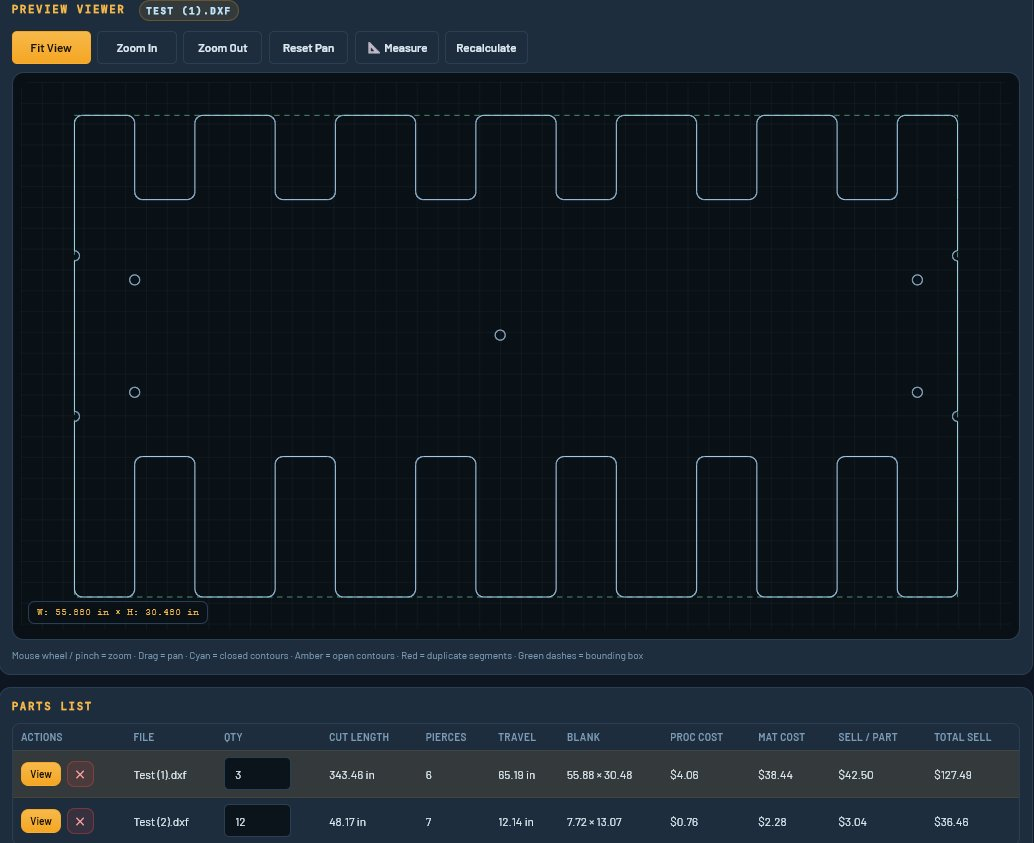
The built-in canvas renders every DXF with color-coded contours. Cyan = closed paths. Amber = open contours flagged for review. Bounding box dimensions shown in your working units. Zoom, pan, and measure before you commit to a price.
Define your corner zone and speed — estimates account for reduced speed at every qualifying corner, just like your machine actually runs.
Save any machine setup under a name. Load it in one click per job — no re-entering rates every time you switch material or process.
DXF units read from the file header. No setup, no guessing. Override if needed — everything respects your chosen unit system.
Export the full parts list to CSV for job costing, shop records, or feeding into your own systems.
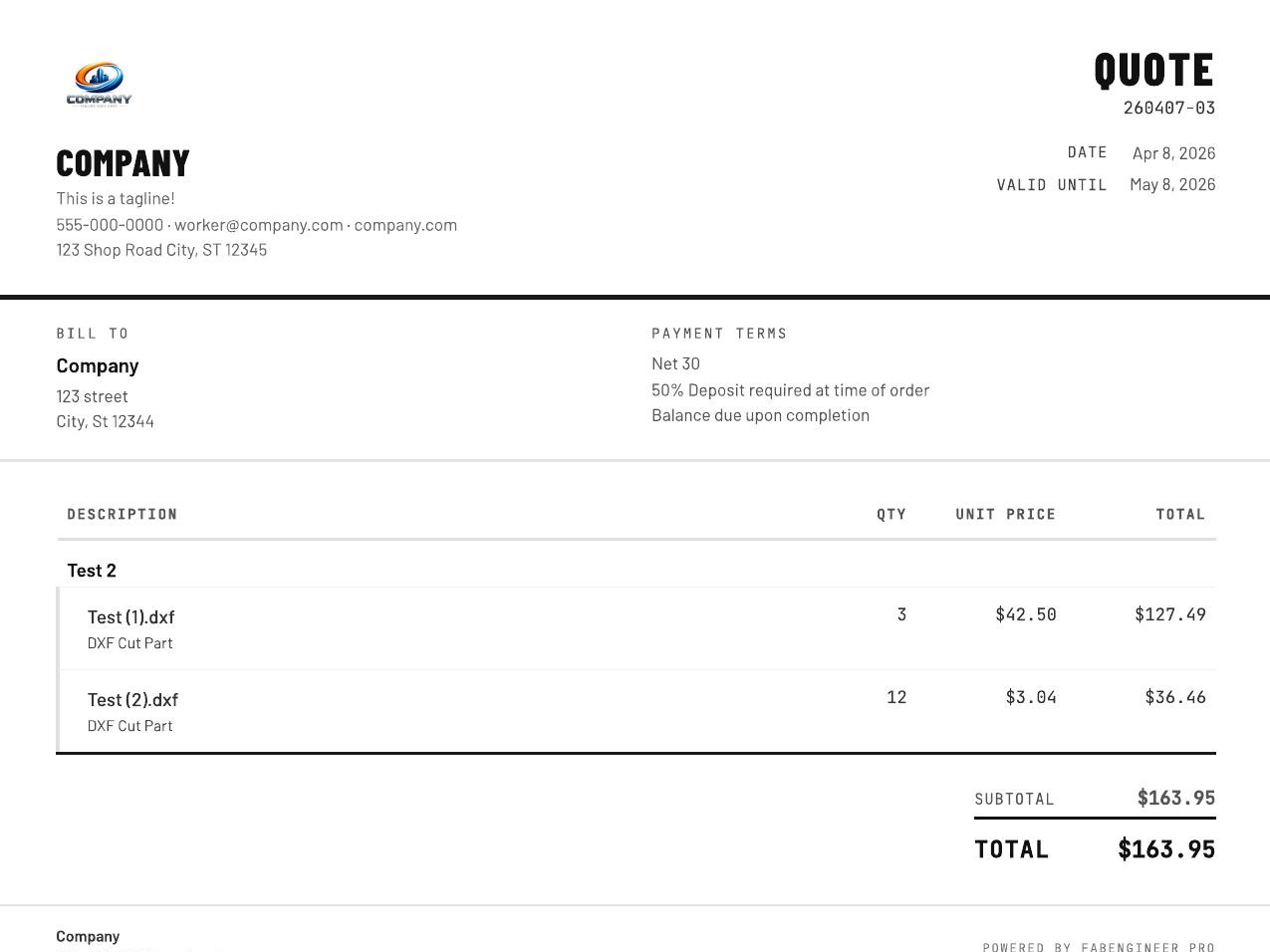
Your DXF estimate feeds directly into the Customer Quote Generator. Add your shop name, logo, and payment terms. Generate a numbered PDF quote ready to email. The whole workflow lives in one place.
"The DXF estimator alone saves me 30 minutes per quote. I used to trace cut lengths by hand — that's not an exaggeration. This tool pays for itself in the first week."Early Access User · Custom Fab Shop · Texas
Choose material type, thickness, pricing basis. Select your cutting process and load a saved machine preset — or dial in custom rates for corner slowdown, pierce time, and machine rate.
Drop one file or batch-upload multiple. The canvas renders immediately. Set quantity per file. The parts list populates with real cut geometry data.
Cut length, pierce count, travel, processing cost, material cost, and sell price — instant. Export to CSV or send directly to the Customer Quote Generator for a branded PDF.
Every Pro tool connects. Import between them, save to your account, and track every job from first estimate to final quote.
Build job quotes from material, labor, welding, and coating — part by part with live totals. Import DXF parts directly.
Optimize bar and tube stock cuts to maximize yield and minimize drop. Graphical layout, cut plan, and PDF output.
Quote MIG, TIG, Stick, and Flux-Core welds with auto pass estimation, wire/gas cost, and labor sell rate.
Turn your estimates into professional, numbered, branded PDF quotes — ready to email directly to customers.
Track every quote — draft, sent, won, lost. Pipeline value, win rate, and estimated vs actual analytics.
K-factor and springback stored per material and OD. Multi-bend sequences with running developed length.
Every underquoted job is a job you worked for free. Get the numbers right — starting today.
No credit card · Full Pro access for 7 days · Cancel any time