1D cut optimization for bars, tube, and structural stock. Add your parts, set your stock lengths, and get an optimized layout — graphical view, cut plan, drop list, and PDF — all in one tool.
Most shops lay out cuts manually — by habit, by eye, or by whatever fits first. The result is drop you throw away, bars you buy and waste, and material costs that erode your margin on every structural job.
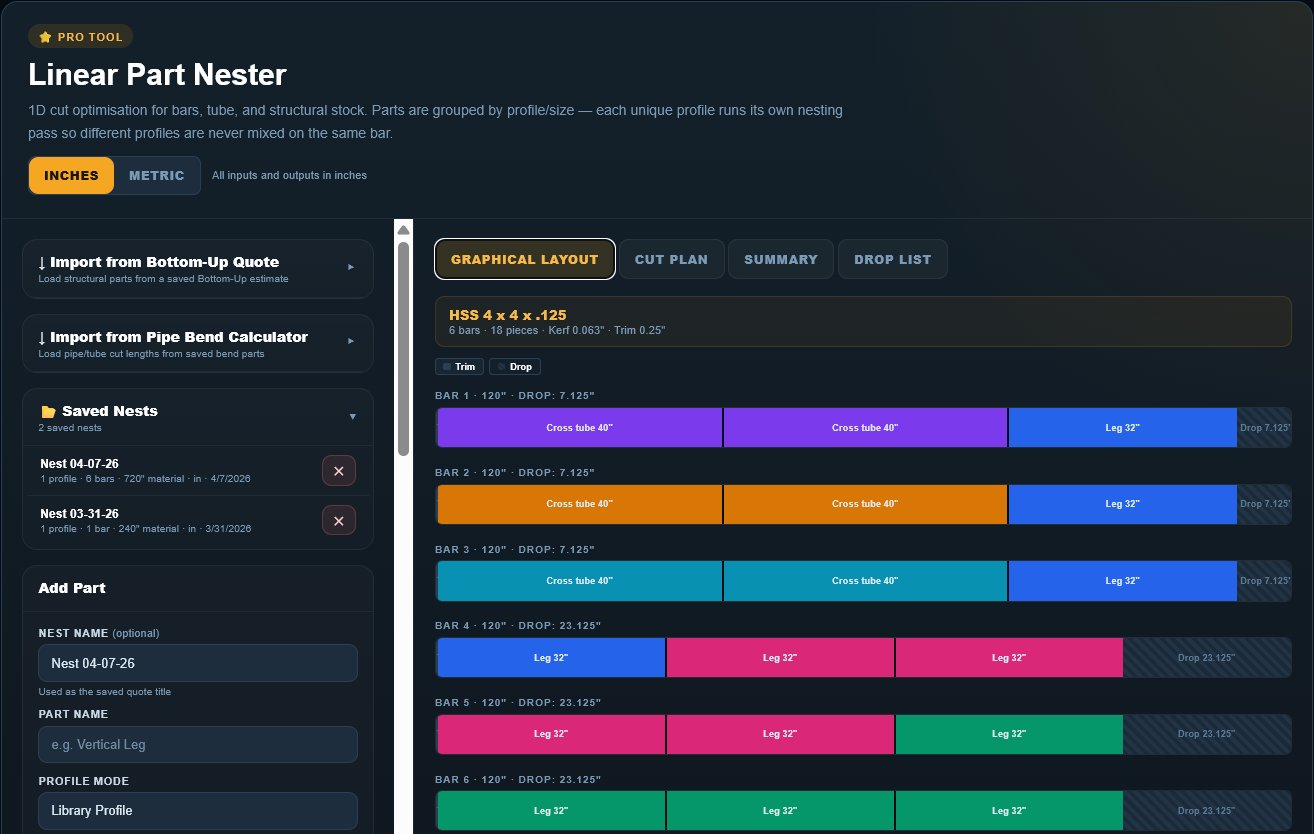
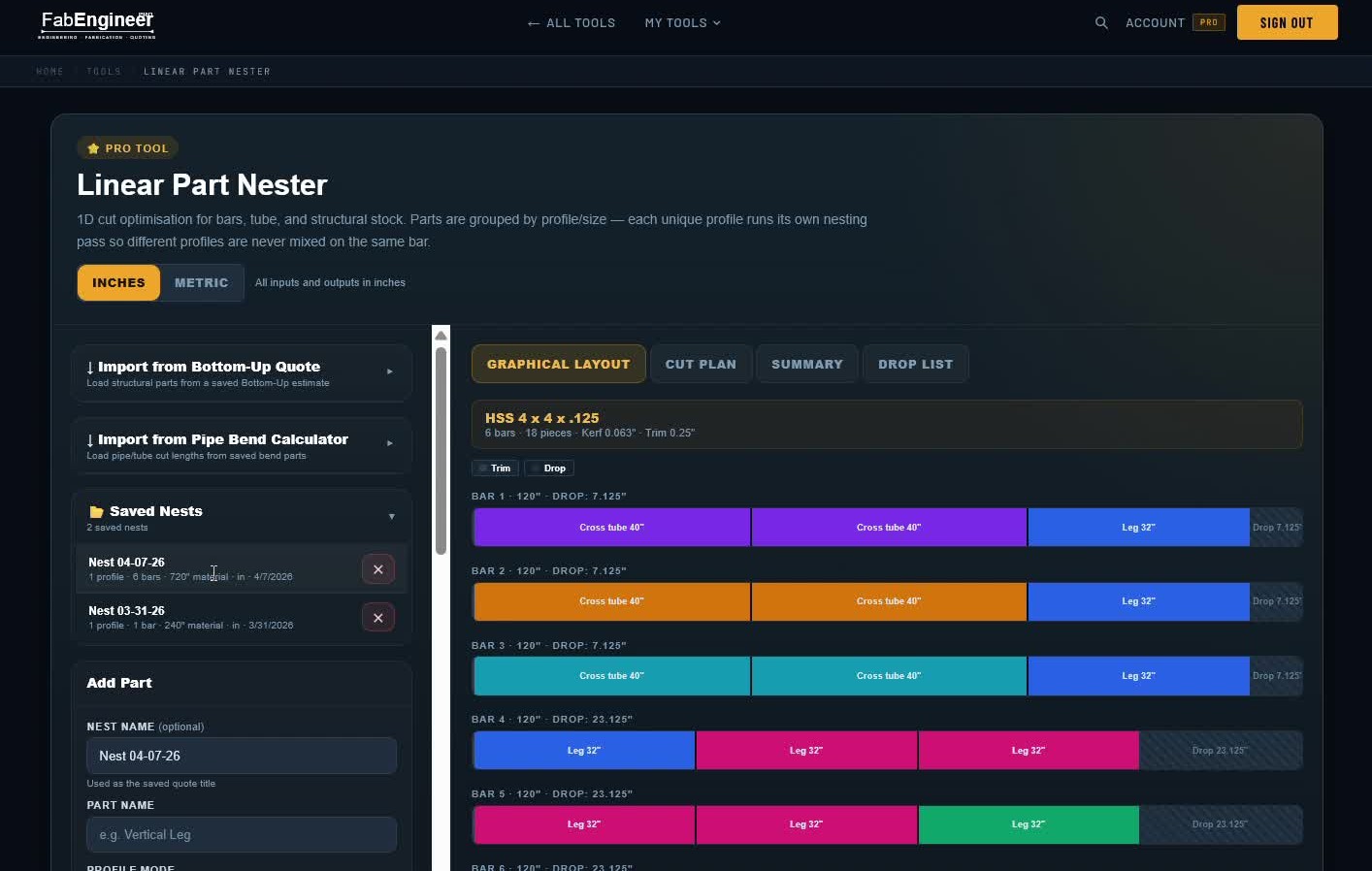
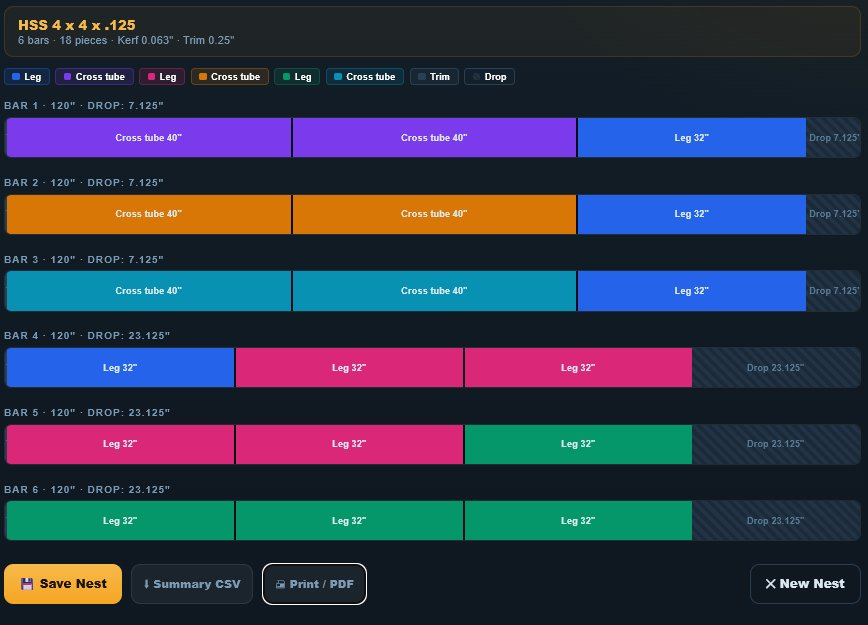
The graphical layout shows each bar as a color-coded strip — different colors for different parts. Drop shown as hatch. Switch to Cut Plan, Summary, or Drop List for the full picture.
Color-coded bar view. Every part labeled with length and quantity. Drop shown as hatch pattern.
Bar-by-bar cut instructions. Part name, quantity, and length. Ready for the shop floor.
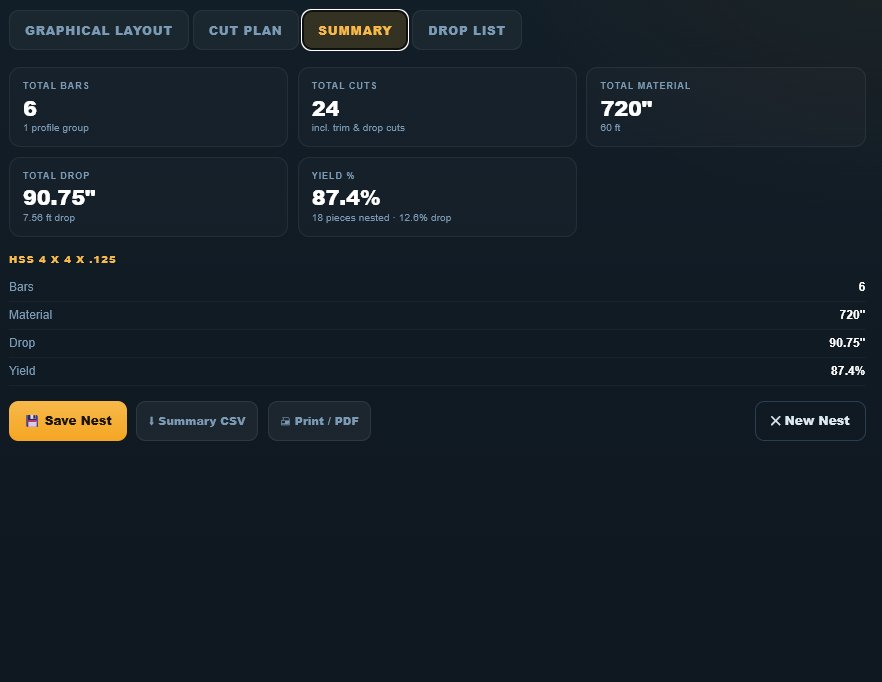
Bars used, total material, drop, and yield percentage — all in one view.
Track what’s left over per profile. Useful for future job planning.
No re-entering part names, profiles, or lengths. The nester reads your structural parts from a saved Bottom-Up estimate and automatically groups them by profile. Import from Pipe Bend Calculator too.
Load structural parts from any saved estimate. Names, profiles, lengths, and quantities populate instantly.
Name and save any nest. Open saved nests from the sidebar — useful for repeat jobs or standard assemblies.
Print or save a PDF with graphical layout, cut plan, and summary. Hand it to the saw operator or attach to the job.

The difference between 53% and 87% yield on a structural steel order is bars you’re buying and throwing away. The nester finds the layout that wastes the least — automatically.
Enter part names, profile, cut length, and quantity — or import directly from a Bottom-Up Quote or Pipe Bend Calculator.
Define stock lengths, kerf width, trim allowance, and end loss per profile group. Multiple stock lengths supported.
Click “Run Nesting.” The optimizer groups parts by profile and finds the layout that minimizes drop across all bars.
Save the nest to your account. Export a PDF cut plan. Hand it off to the saw operator.

"The DXF estimator alone saves me 30 minutes per quote. I used to trace cut lengths by hand — that’s not an exaggeration. This tool pays for itself in the first week."Early Access User · Custom Fab Shop · Texas
7-day free trial. Full Pro access. Start nesting in minutes.
No credit card · Full Pro access for 7 days · Cancel any time